
If you can't remember your password, you can reset it yourself from the Powtoon login page. It only takes a few minutes.
Before you start
- Make sure you can get into the email inbox you used to sign up for Powtoon. We'll send the reset link there.
- If you signed up with Google, another social login, or your company's single sign-on (SSO), you don't have a separate Powtoon password. Log in with that option instead.
- If you're on a Team or Enterprise plan, your organization's admin may manage your login. Check with them first.
How to reset your password
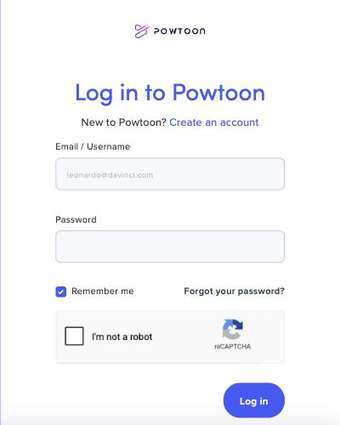
- Go to the Powtoon login page and click Forgot your password? under the Password field.
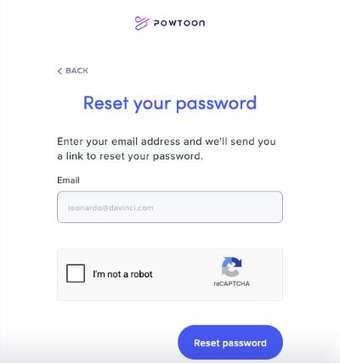
- Enter the email address you use for Powtoon.
- Tick I'm not a robot, then click Reset password.
- Open the email from Powtoon and click the link to reset your password. It can take a few minutes to arrive.
- Enter your new password, type it again to confirm, then click Change Password.
- Go back to the login page and log in with your new password. The change works straight away.
Password requirements
Your new password must:
- Be 8 to 50 characters long
- Include at least one lowercase letter
- Include at least one uppercase letter
- Include at least one number
- Include at least one symbol, such as ! or #
Didn't get the reset email?
- Check your spam, junk and promotions folders.
- Make sure you entered the email address you signed up with. If you're not sure which one that is, see Can't find your account?
- Wait a few minutes, then request a new link.
Still can't log in?
Contact our Customer Support Team and include the email address you think is linked to your account. We'll help you get back in.